
 blog
blog
Commercial Security Camera Installation: A Complete Guide
Table of Contents
- Why Professional Commercial Security Camera Installation Matters
- Types of Commercial Surveillance Systems and What They Offer
- Professional Security Camera Installation Best Practices
- Security Camera Installation Timeline: What to Expect
- Understanding Commercial Security Camera System Cost
- Key Features That Protect Your Business
- Integration With Your Existing Systems
- Post-Installation Training and Ongoing Support
- Frequently Asked Questions
Last Updated: September 30, 2026
Why Professional Commercial Security Camera Installation Matters
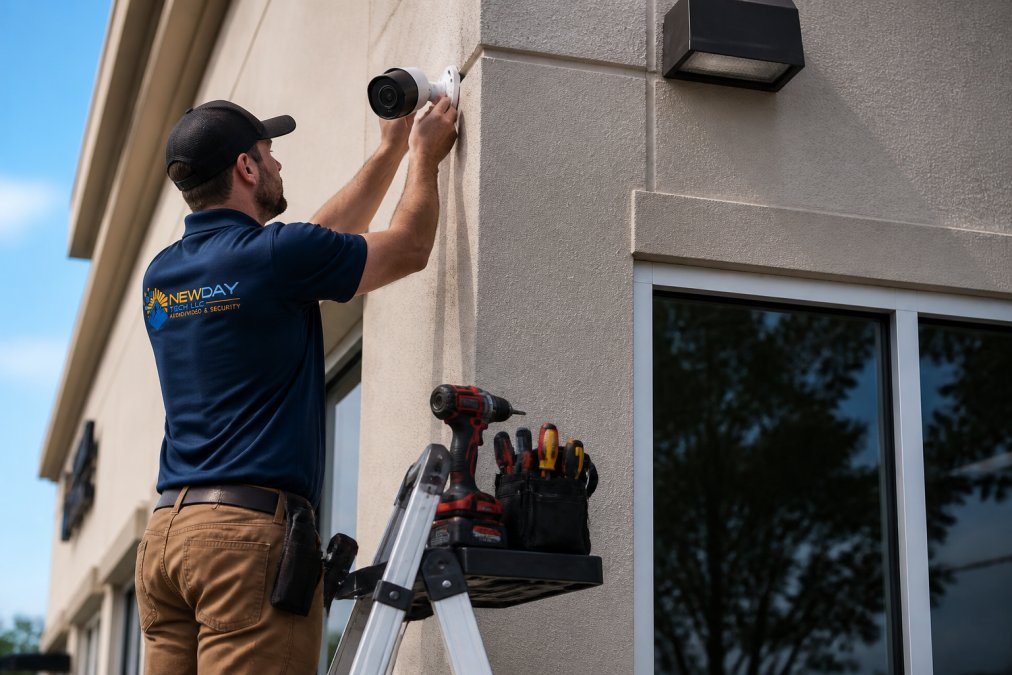
A professional commercial security camera installation protects your business in ways a DIY setup simply cannot. When you hire experienced technicians, you get more than cameras mounted on walls, you get a complete security ecosystem designed specifically for your property's vulnerabilities.
The difference between amateur and professional installation shows up immediately. Proper placement maximizes coverage. Correct wiring prevents signal loss. Network configuration protects your data. These details separate systems that actually catch criminals from systems that fail when you need them most.
NewDay Tech has spent over 15 years installing security systems across North Texas. Professional commercial security camera installation eliminates risks by handling every aspect, from initial site assessment through ongoing maintenance.
Your business generates valuable footage. It documents incidents, protects employees, and provides evidence when disputes arise. That footage only matters if your system captures it reliably and keeps it secure. Professional installation ensures both.
Types of Commercial Surveillance Systems and What They Offer
Understanding your options prevents costly mistakes during the installation process.
IP Cameras vs. CCTV: Key Differences
IP cameras transmit video over your network as digital data. Traditional CCTV cameras send analog signals through dedicated cables. The practical difference matters more than the technical distinction.
IP cameras offer superior image quality and remote access. You can view footage from your phone anywhere, anytime. They integrate easily with other networked systems. They scale without requiring new cable runs. Most commercial security camera installation projects today favor IP technology because it supports modern business needs, remote monitoring, integration with access control systems, and cloud storage options.
CCTV systems remain relevant for specific situations. They work well in facilities with established analog infrastructure. They require less network bandwidth. Some businesses prefer their simplicity. However, upgrading to IP during your commercial security camera installation gives you capabilities CCTV cannot match.
NVR and DVR Storage Solutions
Your cameras generate constant video streams. That footage needs somewhere to live. Network Video Recorders (NVRs) store footage from IP cameras. Digital Video Recorders (DVRs) store footage from analog CCTV cameras.
NVRs offer advantages that matter in practice. They support higher resolution video. They integrate with cloud storage seamlessly. They allow multiple users to access footage simultaneously. They work with modern cybersecurity protocols. Most commercial security camera installation professionals recommend NVRs because they support the integrated systems businesses actually need.
Storage capacity depends on your requirements. A retail location with five cameras needs different storage than a warehouse with twenty cameras. Resolution matters, higher definition requires more storage space. Retention periods vary by industry. Professional installation includes proper sizing of your storage infrastructure so you capture what matters without waste.
Professional Security Camera Installation Best Practices
Proper installation separates systems that work reliably from systems that create frustration. The process requires careful planning and precise execution.
Site Assessment and Planning
Before any equipment arrives, professionals conduct thorough site assessments. This determines camera placement, identifies network infrastructure needs, and spots potential challenges. A site assessment prevents expensive mistakes during installation.
Lighting conditions matter. Cameras need adequate illumination to capture usable footage. Some areas require night vision capability. Outdoor cameras face weather exposure. Indoor cameras in retail spaces need different angles than warehouse cameras. Professional assessment accounts for these variables.
Cable routing affects both performance and appearance. Running cables through walls looks professional and protects them from damage. Surface-mounted cables cost less but look poor and require protection. The assessment identifies the most practical routing for your building's layout.
Network infrastructure often needs upgrades for professional commercial security camera installation. Your existing Wi-Fi might not support multiple high-resolution cameras. You may need additional network switches or dedicated cabling. The assessment identifies these requirements before installation begins, preventing delays and cost overruns.
Cybersecurity and Data Encryption During Setup
Your security footage represents sensitive information. Hackers target poorly configured surveillance systems because they provide network access. Professional installation includes proper cybersecurity protocols from day one.
Encryption protects your footage in transit and at rest. Cameras should connect through secure protocols. Network access requires authentication. Firmware updates patch vulnerabilities. Many businesses overlook these details, leaving their systems exposed. Professional commercial security camera installation includes these protections as standard practice.
Data privacy regulations increasingly govern how businesses handle video footage. Proper installation ensures compliance with applicable requirements. This includes secure storage, access controls, and retention policies. Professional installers understand these obligations and build them into your system design.
Security Camera Installation Timeline: What to Expect
Installation timelines vary based on system complexity. Understanding the process helps you plan accordingly and avoid surprises.
Simple installations for small businesses typically take one to two days. A single-location retail space with four to six cameras can be fully operational within that window. The technician conducts the site assessment, mounts equipment, configures the network, and tests everything before leaving.
Larger installations take longer. A warehouse with multiple zones, outdoor cameras, and integrated access control systems might require three to five days. Complex network infrastructure changes extend the timeline. Integration with existing systems adds time. Professional installers provide realistic timelines based on your specific situation rather than generic estimates.
Post-installation configuration continues after the physical work completes. Cameras need proper settings for your specific environment. Motion detection thresholds require tuning. Cloud storage connections need testing. User access permissions require setup. Professional commercial security camera installation includes this configuration work as part of the complete service.
Understanding Commercial Security Camera System Cost
Pricing depends on multiple factors. Understanding what drives costs helps you make informed decisions and compare quotes accurately.
Hardware, Labor, and Integration Expenses
Cameras themselves represent only part of the cost. Professional installation includes labor, network infrastructure, storage solutions, and integration with existing systems.
Camera quality varies significantly. Your business needs determine the appropriate level.
Network infrastructure often requires investment. If your existing network cannot support multiple video streams, upgrades become necessary. Additional network switches, cabling, or dedicated bandwidth solutions add to the total cost. Professional assessment identifies these requirements upfront.
Installation labor reflects technician expertise and time required. Simple installations cost less than complex multi-building systems. Difficult cable routing increases installation time.
Integration with access control systems, alarm systems, or other security infrastructure adds value but increases cost. A standalone camera system costs less than a fully integrated security solution. However, integration provides benefits that justify the additional investment for many businesses.
ROI Through Loss Prevention and Insurance Savings
Quality surveillance systems generate measurable returns. Loss prevention is the most obvious benefit. Documented incidents deter theft and reduce shrinkage. Employee accountability improves when staff knows they're recorded. Customer disputes resolve more easily with video evidence.
Insurance companies increasingly offer premium reductions for businesses with professional surveillance systems. The discount varies by insurer and risk profile, but many policies reflect lower claims risk when security footage is available.
Liability protection adds another dimension. Video documentation protects your business in dispute situations. Employee incidents, customer injuries, or property damage disputes resolve more favorably when you have clear footage.
Key Features That Protect Your Business
Modern cameras offer capabilities that improve security outcomes. Understanding these features helps you select appropriate equipment for your needs.
Motion Detection and Real-Time Alerts
Motion detection triggers alerts when activity occurs in monitored areas. This prevents constant false alarms while ensuring you notice actual events. Professional installation includes proper tuning of motion detection sensitivity for your environment.
AI-Powered Video Analytics and Remote Monitoring
Artificial intelligence transforms raw footage into actionable intelligence. AI analytics can detect specific behaviors, loitering, line crossing, object removal, rather than just motion. This reduces false alerts and focuses attention on genuine security concerns.
Night Vision, Pan-Tilt-Zoom, and Weatherproofing
Night vision technology extends surveillance capability to dark environments. Infrared illumination allows cameras to capture activity without visible light. This protects outdoor areas and facilities that operate during evening hours.
Integration With Your Existing Systems
Modern security systems work best when they connect with other business infrastructure. Professional installation ensures seamless integration.
Access Control and Network Infrastructure
Access control systems track who enters and exits your facility. When integrated with video surveillance, they create a complete security picture. You can see who accessed restricted areas and when. This integration requires proper network infrastructure and careful configuration.
Cloud Storage and Bandwidth Management
Cloud storage provides off-site backup of your footage. If your on-site storage fails or is compromised, your footage remains safe. Cloud storage also enables easy access to historical footage from anywhere.
Post-Installation Training and Ongoing Support
Professional installation doesn't end when technicians leave your site. Proper training and ongoing support ensure your system delivers value long-term.
Frequently Asked Questions
What factors influence the price of professional commercial security camera installation?
The cost depends on several variables: the number and type of cameras, installation complexity, network infrastructure requirements, cloud storage or NVR/DVR systems, integration with access control, and ongoing maintenance plans. Site assessment determines whether hardwired or wireless deployment is needed. Contact NewDay Tech for a customized quote based on your property's specific needs.
How long does a typical commercial security camera installation take?
Installation timelines vary based on system size and complexity. This includes site assessment, installation, testing, data encryption setup, and staff training. NewDay Tech provides a detailed timeline during the planning phase so you know what to expect.
What are the benefits of professional security camera installation over DIY?
Professional installation ensures proper camera placement for optimal field of view, correct network configuration for reliable remote monitoring, cybersecurity protocols and data encryption to protect footage, compliance with regulations, and system scalability for future growth. Professionals handle bandwidth management, integration with access control and existing infrastructure, and provide post-installation training. They also troubleshoot issues that DIY setups often create, saving time and preventing costly mistakes.
Can a commercial security system integrate with my existing technology?
Yes. Professional installation includes assessment of your current network, Wi-Fi, access control, and other systems. Modern IP cameras and NVR/DVR systems integrate with cloud storage, real-time alert systems, and remote monitoring platforms. Integration also connects to access control for comprehensive asset protection and business continuity. NewDay Tech specializes in unified system design so all your technology works together seamlessly rather than requiring separate apps or manual management.