 ultimate-guide
Integrated Security System Installation Cost: 2026 Guide
Table of Contents
- What Integrated Security System Installation Cost Actually Includes
- Equipment and Hardware Costs for Security Systems
- Commercial Security Camera Installation Cost Breakdown
- Access Control System Installation Cost and Components
- Security System Installation Labor Cost and Professional Fees
- Monitoring Service and Security System Maintenance Cost
- Integration, Smart-Home Compatibility, and System Upgrades
- Cost Variables: Property Size, System Scope, and Retrofit Complexity
- Frequently Asked Questions
Last Updated: October 7, 2026
What Integrated Security System Installation Cost Actually Includes
An integrated security system installation cost covers far more than cameras and mounting, breaking into categories most property owners don't anticipate.
At NewDay Tech, we help North Texas property owners understand what drives their final bill: equipment, labor, monitoring, integration, and ongoing maintenance, each scaling differently by property type and security goals.
Quotes can vary. The difference is what's actually included in each scope of work.
Equipment and Hardware Costs for Security Systems
Security cameras and access control hardware are the foundation of your upfront investment, physical devices you pay for outright, whether wired, wireless, or hybrid.
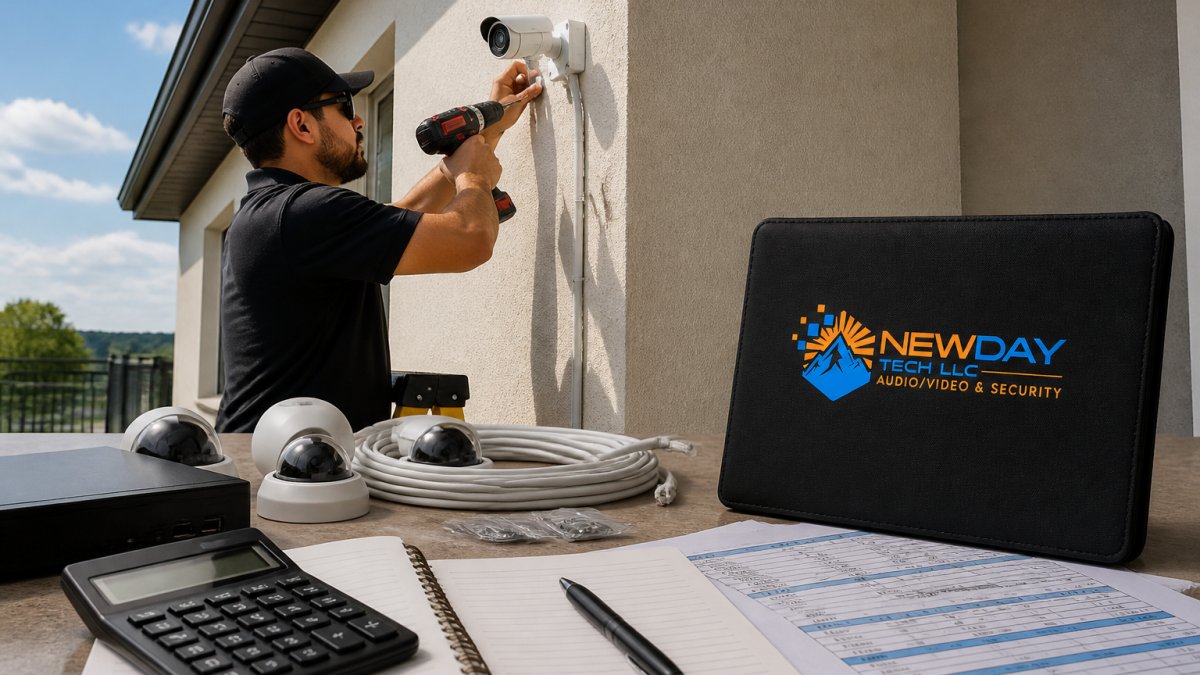
Itemized equipment categories to price out
Most quotes bundle these, but you should see each broken out to compare bids:
- Cameras, priced per unit by resolution, lens, and analytics. A 2 MP/1080p dome or bullet camera sits at the low end; 4K cameras with person/vehicle detection and built-in IR sit in the middle; multi-sensor or PTZ cameras with auto-tracking sit at the top.
- Recorder / NVR or VMS appliance, priced by channel count (4, 8, 16, 32, 64) and by how many days of retention the onboard storage supports.
- Network gear, PoE switches, injectors, routers, and (for larger sites) VLAN-capable managed switches.
How camera count drives the equipment line
Rule of thumb: one camera per primary entry/exit, one per high-value interior zone, plus perimeter coverage where the property line is exposed. That produces roughly these tiers:
- Small residential (2-4 cameras): entry door, back door, driveway, and one interior common area.
- Mid-size residential (4-8 cameras): adds side yards, garage, and interior hallways.
- Large residential or small commercial (8-16 cameras): adds parking, perimeter, and multiple interior zones with overlapping coverage.
- Commercial / multi-building (16-64+ cameras): adds loading docks, cash rooms, server rooms, and redundant coverage on critical paths.
Each step up in camera count pulls additional cost, more NVR channels, storage, PoE ports, cable runs, and labor hours. That's why two quotes for "a camera system" can differ even when the per-camera price looks similar.
Wired vs. wireless vs. hybrid equipment cost trade-offs
- Wired (PoE): higher cabling and labor cost, but no battery replacement, no Wi-Fi dead zones, consistent power and bandwidth. Best for fixed cameras and access control.
- Wireless: lower cabling cost, but each device needs power or a battery, and video quality depends on your network. Best for retrofit spots where cable is impractical.
- Hybrid: wired backbone for fixed cameras and access control, wireless for hard-to-reach spots. Most common professional approach and usually the best cost-to-reliability balance.
Where equipment costs surprise people
- Analytics licensing, person/vehicle detection, license plate recognition, and facial recognition are often licensed per camera per year, not one-time.
- Storage sizing, most owners underestimate retention. Doubling retention days roughly doubles drive capacity and cost.
- Access control readers, mobile-credential and biometric readers cost multiples of a standard proximity card reader.
- Network upgrades, if your switch isn't PoE-capable or your Wi-Fi is weak, that gear gets added before a single camera goes up.
CISA guidance on physical security and video surveillance system planning
Once the equipment list is itemized, the next line to nail down is labor, where the gap between a low bid and a realistic bid usually shows up.
Commercial Security Camera Installation Cost Breakdown
Commercial properties face different requirements than residential, changing the equipment and labor picture significantly.
A small retail location might need four to eight cameras covering entry, exits, and sales floor.
Commercial installations typically include redundancy residential systems don't need, backup recording, failover monitoring, and uptime guarantees add cost.
Commercial labor takes longer: larger camera counts, complex cabling runs, integration with existing systems, and coordination with building operations all extend the timeline.
Access Control System Installation Cost and Components
Access control adds a significant layer to integrated security system installation cost, especially for commercial and larger residential installations.
A basic system might include one or two electrified locks at main entries with card reader access.
Electrified hardware is a major component of access control cost.
Access control installation labor often exceeds camera installation complexity.
Ongoing costs include credential management, system administration, and periodic hardware replacement, magnetic stripe cards wear out, wireless lock batteries need replacement, and access management software may carry annual renewal costs.
Security System Installation Labor Cost and Professional Fees
Labor represents the second-largest component of integrated security system installation cost after equipment.
Professional installation labor includes site assessment, system design, equipment mounting, cabling, network configuration, testing, and staff training.
Labor costs vary by region, contractor experience, and project complexity. Rural properties often incur higher per-hour costs because travel time is longer and specialized expertise scarcer.
Site assessment happens before installation begins.
Staff training is often included but sometimes charged separately.
Monitoring Service and Security System Maintenance Cost
Monitoring service is a recurring monthly cost that extends indefinitely after your initial installation.
Professional 24/7 monitoring typically includes alarm response dispatch, video verification, and integration with local law enforcement.
System maintenance costs depend on whether you choose a managed service contract or handle maintenance yourself.
Whether monitoring is bundled into your integrated security system installation cost should be clarified upfront.
Integration, Smart-Home Compatibility, and System Upgrades
Modern integrated security systems increasingly connect with broader smart-home or building management ecosystems.
Integration work adds cost beyond basic camera and access control installation.
Compatibility assessment is crucial before installation begins. Not all cameras work with all video management systems, and not all access control platforms integrate seamlessly with every door lock manufacturer.
System upgrades matter when retrofitting existing infrastructure.
Smart-home integration lets you control security functions alongside other property systems.
Cost Variables: Property Size, System Scope, and Retrofit Complexity
Your final integrated security system installation cost depends heavily on property-specific factors. Here's how each variable actually moves the number, plus worked examples and a checklist for comparing bids.
Property size: how camera count and cabling scale
Property size affects cost through three multipliers: camera count, cable-run length, and labor hours:
- Small residential (under ~2,500 sq ft, single story): 2-4 cameras, short cable runs, one NVR location. Lowest labor tier.
- Mid-size residential (2,500-5,000 sq ft, two stories): 4-8 cameras, attic and crawlspace runs, sometimes two NVR locations or a single central rack. Labor roughly doubles versus the small tier.
- Large residential or small commercial (5,000-15,000 sq ft or multi-building): 8-16 cameras, exterior conduit, gate or parking coverage, and often access control on at least one door. Labor and cabling become the dominant line items.
- Commercial / campus (15,000+ sq ft or multiple buildings): 16-64+ cameras, structured cabling, VLAN segmentation, redundant recording, and multi-door access control. This tier usually requires a site survey and a formal design before pricing.
A 200-acre ranch doesn't need 200 acres of cameras, it needs cameras at the gates, barn, house, and outbuildings, plus long cable or wireless bridge runs between them. Distance is the cost driver, not acreage.
System scope: what you choose to protect
Scope is the single biggest lever you control:
- Entry-point coverage: doors, garage, and one or two interior cameras. Lowest cost, lowest coverage.
- Perimeter + entry: adds fence line, driveway, and side-yard cameras.
- Full-property: adds interior zones, outbuildings, and analytics (person/vehicle detection).
- Integrated: adds access control, intercom, alarm sensors, and integration with lighting, HVAC, or building automation.
Each step up multiplies across every cost category, more devices, cabling, configuration, licensing, and recurring fees.
Retrofit complexity: the hidden labor multiplier
- New construction: clean cable runs, centralized equipment placement, predictable power. Lowest labor per device.
- Finished residential retrofit: fishing cable through finished walls, patching, and working around insulation. Moderate labor premium.
- Commercial retrofit: working around active operations, after-hours scheduling, conduit in occupied spaces, and coordination with building management. Highest labor premium.
- Historic or restricted-modification buildings: limited drilling, matching finishes, and sometimes permit review. Adds both labor and timeline.
Worked examples by property tier
Illustrative scopes, not quotes, but they show how the variables stack:
- Small home, 3 cameras + alarm: 3 cameras, 8-channel NVR, 2 TB drive, 4 door contacts, 1 motion sensor, 1 keypad. Roughly 8-16 labor hours. No access control, no intercom.
- Mid-size home, 6 cameras + alarm + smart integration: 6 cameras, 16-channel NVR, 4 TB drive, alarm panel with 8 contacts and 2 motions, mobile app integration, one video doorbell. Roughly 16-32 labor hours.
- Large home or small commercial, 12 cameras + access control + intercom: 12 cameras, 16-channel NVR, 8 TB drive, 2-door access control with card readers and electric strikes, one video intercom at the main entry, alarm integration. Roughly 40-80 labor hours plus a design/survey phase.
- Commercial, 24+ cameras + multi-door access control + VMS: 24+ cameras, 32- or 64-channel NVR or server-based VMS, 16+ TB storage, 4-8 access-controlled doors, intercom at receiving, redundant recording, VLAN network segmentation. Typically requires a formal site survey, design drawings, and a phased install schedule.
Quote evaluation checklist
When comparing bids, ask each vendor to confirm in writing:
- Equipment list, make, model, and quantity for every device, not category totals.
- Labor hours, estimated hours by phase (survey, rough-in, install, configuration, training).
- Cabling and conduit, included or billed separately? What cable type?
- Network work, are switches, VLANs, and Wi-Fi upgrades in scope?
- Licensing, one-time or recurring? Per camera or per server?
- Monitoring, included in year one, or separate? What is the monthly rate after?
- Warranty, length, what it covers, and whether labor is included on warranty calls.
- Exclusions, drywall patching, painting, permits, and after-hours work are the most common omissions.
- Training, how many hours, and is documentation provided?
- Change-order rates, hourly rate and markup for work added after the contract is signed.
Cost-saving decisions that do not compromise coverage
- Prioritize entry points and choke points over blanket interior coverage.
- Choose wired where cable runs are short and accessible, wireless only where they are not.
- Phase the project, cameras and alarm first, access control and intercom second.
- Standardize on one manufacturer ecosystem to reduce integration and licensing costs.
FTC guidance on comparing contractor estimates and avoiding deceptive pricing
Frequently Asked Questions
How much does it cost to have someone install an integrated security system?
Total integrated security system installation cost depends on property size, system scope, equipment choices, and whether you're retrofitting existing infrastructure. Residential systems typically involve upfront equipment and labor costs plus recurring monthly monitoring fees. Commercial installations are usually larger and more complex. For accurate pricing tailored to your property, request a cost estimate from a professional installer who can assess your specific security environment and integration needs.
What factors affect integrated security system installation cost the most?
Key cost drivers include the number of security cameras and access control devices, whether the system is wired or wireless, property layout and size, existing infrastructure compatibility, installation disruption requirements, and the scope of smart-home integration. Retrofit installations on older properties typically cost more than new construction. Remote or rural locations may increase labor costs due to travel time and specialized equipment needs for reliable connectivity.
Does an integrated security system require a monthly monitoring fee?
Most professionally monitored integrated security systems include recurring monthly costs for 24/7 monitoring service, which provides professional response to alarms and remote access capabilities. Some systems offer self-monitoring options that reduce or eliminate monthly fees, though you assume responsibility for monitoring. Clarify whether your security system installation quote separates upfront equipment and labor costs from ongoing monitoring service costs, as these are distinct budget items.
How long does professional installation of an integrated security system typically take?
Installation timeline varies based on system complexity and property size. A basic residential system may take one to three days, while comprehensive integrated systems with video management, access control, and smart-home integration can require one to two weeks. Installation disruption depends on whether the system is wired or wireless and whether existing infrastructure must be modified. Professional installers can provide a realistic timeline after assessing your property and security requirements.