 blog
7 Best Outdoor Security Cameras for Remote Properties in 2026
Last Updated: October 26, 2026
Quick Summary
The best outdoor security cameras for remote properties are chosen by power, connectivity, weather rating, and storage before resolution. Match a cellular camera to sites with no internet, a solar camera where power is absent, and a local-storage camera where Wi-Fi is weak, testing signal at the exact mount point first.
- Test cellular signal in decibels at the exact mount height, angle, and orientation before buying a camera.
- Size solar panels and batteries for your worst winter month, not your sunniest one.
- A camera that detects motion at 100 feet may only identify a face at 30 to 40 feet.
- Run continuous recording to a local recorder and motion clips to the cloud as backup.
- Six well-placed cameras beat twelve scattered ones when planning whole-property coverage.
Table of Contents
- What Makes an Outdoor Security Camera Work on a Remote Property
- Quick Comparison: Top Picks for Remote Properties
- Security Cameras That Work Without Wi-Fi
- Cellular Security Cameras for Remote Areas
- Solar-Powered Outdoor Security Cameras for Off-Grid Power
- Outdoor Security Cameras With Local Storage
- Planning Coverage for a Whole Property
- Request a Remote Property Security Consultation
- Frequently Asked Questions
What Makes an Outdoor Security Camera Work on a Remote Property
A remote property punishes gear a suburban house would forgive: the camera must survive weather, run without dependable grid power, and stay reachable without cable internet or reliable Wi-Fi.
An outdoor security camera for a remote property is a camera whose power source, network connection, and weather rating all work without a house to lean on. Most buyers compare resolution first.
The practical checklist comes down to four things:
- Power: wired, battery, or solar with battery backup
- Connectivity: Wi-Fi, cellular, or a wired network link
- Weather rating: an IP rating and a stated operating temperature range
Get those four right and almost any reputable camera performs; get them wrong and the best-rated model becomes a plastic ornament.
Quick Comparison: Top Picks for Remote Properties
No single camera wins for every remote site, so we group picks by the problem they solve. Find your situation in the table, then read the matching section.
| Your situation | Best camera category | Power source | Connection | Watch out for |
|---|---|---|---|---|
| No internet at the property | Cellular camera | Battery or solar | LTE | Monthly data plan |
| Power is unreliable or absent | Solar-powered camera | Solar + battery | Wi-Fi or LTE | Winter sun hours |
| Wi-Fi exists but is weak | Local-storage camera | Wired or battery | Wi-Fi with local card | Signal at the mount point |
| Whole property, multiple buildings | Mixed system | Wired where possible | Mesh Wi-Fi + LTE backup | Placement planning |
| Need professional monitoring | Integrated system | Wired with backup | Managed network | Recurring service cost |
For a full breakdown of monitoring, video, and support starting prices, see NewDay Tech's service pricing. It separates recurring service costs from one-time project work, which matters when you are comparing total cost of ownership rather than sticker price.
Security Cameras That Work Without Wi-Fi
Cameras that work without Wi-Fi fall into two groups: cellular cameras that reach the internet over LTE, and local cameras that record to a memory card and never touch the internet. Both solve the same problem from opposite directions.
The local option is simpler: a camera with a memory card slot records continuously or on motion, and you retrieve footage by pulling the card or connecting directly.
A common mistake is buying a Wi-Fi camera and hoping a range extender reaches the barn. In practice, signal at the camera's mounting point is what counts, not signal at the house.
If your property has partial coverage and you want to fix it properly, our guide to mesh Wi-Fi for rural properties covers node placement and backhaul options that make Wi-Fi cameras viable across outbuildings.
Cellular Security Cameras for Remote Areas
Cellular security cameras for remote areas are the answer when there is no internet service at all, or when running a line to the gate costs more than the camera system.
That last point is where most installations go wrong. Cell coverage varies by feet, not miles: a camera on the north side of a metal barn may have two bars while the south face has none.
Test signal at the mount point, not the house
Signal bars at the kitchen table tell you almost nothing about the gate. Test at the exact height, angle, and orientation where the camera will sit, on the carrier you plan to use:
- Stand at each proposed mount with a phone on the intended carrier and note the signal reading in decibels (dBm) rather than bars. Roughly, -50 to -90 dBm is strong, -90 to -105 dBm is usable, and below -110 dBm is marginal for video.
- Repeat the test at the same spot in the morning and evening. Coverage can shift with foliage, weather, and network load.
- Test behind the structure, not just in front of it. Metal siding, metal roofs, and concrete block attenuate signal sharply.
- If the reading is marginal, try a higher mount or a different face of the building before assuming you need an external antenna.
Many cellular cameras accept an external antenna. If the best reading at the site is still weak, an antenna above the roofline or on a pole often turns a marginal location into a workable one, budget for it alongside the camera.
Choose the carrier and plan around your actual usage
Cellular data plans are sold by the gigabyte or as monthly tiers, and the right plan depends on configuration. Motion-triggered clips use far less data than continuous streaming or cloud backup: short clips on person detection typically use a small fraction of one camera streaming live video around the clock.
Estimate before you commit:
- Count the events you expect per day (driveway traffic, wildlife, wind-blown branches).
- Multiply by the clip length and resolution you plan to use.
- Add live-view time, which is the heaviest consumer of data.
Then choose a plan with headroom. Overage charges and throttling are common on cheap tiers, and a camera that stops uploading after a data cap is no better than a dead battery.
Handle dead zones before you buy
If testing shows no usable signal at a critical location, you have three options: move the camera where signal exists, add an external antenna and possibly a booster, or bridge the gap with a local network link. A point-to-point wireless bridge between buildings can carry camera traffic to good cellular coverage, but adds cost and complexity.
Where cell service is genuinely thin, connectivity becomes the project. Our team handles Starlink installation and rural property networking so cellular cameras and Wi-Fi cameras can share one reliable connection instead of fighting over a weak signal.
Solar-Powered Outdoor Security Cameras for Off-Grid Power
Solar-powered outdoor security cameras solve power, not connectivity. A panel charges an internal battery that runs the camera, with no wire to the house.
The catch is sunlight. Panel output drops in winter, under heavy cloud, and when facing the wrong direction.
Watch out: a solar camera that loses charge in a cold snap goes offline exactly when you want it most.
Battery life claims assume ideal conditions and few events.
Outdoor Security Cameras With Local Storage
Local storage keeps footage on the property: a camera writes to a memory card or network video recorder, and nothing leaves the site unless you send it.
Cloud storage still has a place. If someone steals the camera, local footage goes with it. A cloud clip of the event survives.
Consider these points before you choose:
- Card capacity: high-resolution continuous recording fills a card fast
- Recorder placement: keep it locked and out of sight
- Retention: decide how many days of footage you actually need
Cloud plans vary widely by camera count and retention length, so read the terms before you commit to a multi-camera setup.
Planning Coverage for a Whole Property
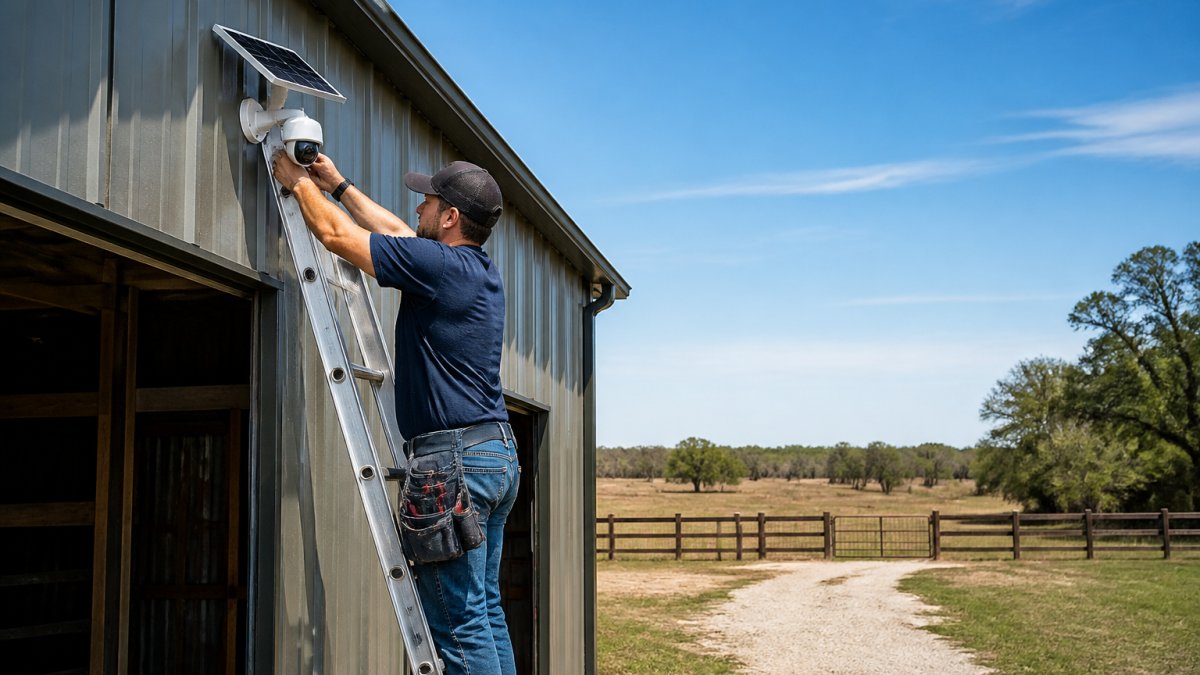
Whole-property coverage is a placement problem, not a camera-count problem: six well-placed cameras beat twelve scattered ones. Start with the entry points a person would actually use, driveway, gate, barn door, equipment shed, and paths between buildings.
Work from the constraint outward
On a remote property, the camera does not decide the layout, power and connectivity do. Map the property in this order:
- Buildings and distances. Sketch every structure and the distance between them. A quarter-mile driveway and a barn 300 feet from the house are different problems.
- Power availability. Mark where mains power reaches and where it does not. A camera near an outlet can be wired; a gate camera a quarter-mile out usually cannot.
- Connectivity at each mount. Test Wi-Fi and cellular signal at each proposed location, at the mounting height, before committing to a camera type.
- Sightlines. Identify what each camera must see, faces at the door, license plates at the gate, equipment in the shed, and set height and angle to catch those, not the tops of heads.
- Overlap at likely entry points. Aim for overlapping fields of view where a person would actually approach, so one camera's blind spot is another's view.
- Storage and retention for the system. Plan recording capacity for the whole property, not per camera.
Realistic range and placement examples
Range claims assume open air and clear line of sight. Fences, trees, rain, and dust cut detection distance, and identification distance is shorter still: a camera that detects motion at 100 feet may only identify a face at 30 to 40 feet. Plan identification zones at the gate, door, and equipment shed, and treat distant detection as a heads-up, not evidence.
- Long driveway: place a camera at the gate for approach detection and a second at the house end for identification. If the gate has no power, a solar cellular camera is the usual answer; if it has power but no network, a local-recording camera with a card is simpler.
- Barn and outbuildings: mount on the building's own corner facing the approach path, not across the yard. Signal and power are usually easier at the building than at a pole in the middle of a field.
- Equipment shed: aim at the door and the equipment, and keep the recorder or card locked and out of sight. A camera that records only to a card inside the shed loses its footage if the shed is broken into.
For a step-by-step walkthrough of this process on a waterfront property, our guide to remote security monitoring for lake houses covers camera placement, power backup, and system testing in detail.
Request a Remote Property Security Consultation
The gap between a camera that works and one that disappoints is almost always planning. Power, signal, placement, and storage must be decided for your property before anything gets mounted.
We bring more than 15 years of hands-on experience with rural and remote properties, managing each project from plan to support so cameras, network, and monitoring work as one system instead of three apps on your phone.
Request a consultation and we will walk your property, test signal at the actual mount points, and give you a clear scope with recurring costs separated from project costs.
Frequently Asked Questions
Can outdoor security cameras work without Wi-Fi?
Yes. Cameras that use cellular LTE connectivity send video over a mobile network instead of your home internet, so they work anywhere with cell coverage. Others record to a local SD card or NVR and don't need a network at all for basic recording. For a remote property with weak or no internet, a cellular camera paired with local storage gives you both live alerts and a recorded backup.
Are cellular security cameras worth it for remote properties?
They usually are when wired internet isn't available or reliable. Cellular security cameras for remote areas keep working during internet outages and don't depend on a router or Wi-Fi signal reaching a barn or gate. The tradeoff is a monthly data plan and the need to confirm signal strength at each camera location before you commit. Check coverage at the exact spot, not just at the house.
How do you power security cameras in a remote location?
Most remote setups use solar-powered outdoor security cameras with a rechargeable battery, which avoids running electrical lines across a large property. A solar panel keeps the battery topped up during daylight, and the battery carries the camera through the night and cloudy stretches. If you have power at a structure, a wired camera is still the most dependable option for a fixed location.
How can I monitor a remote property from my phone?
Choose a camera with a mobile app that supports live view and motion alerts over cellular data. You'll get push notifications when motion is detected and can pull up live or recorded video from anywhere. For whole-property coverage, plan camera placement around entry points, gates, and outbuildings so alerts are meaningful rather than constant.
Your property is not a suburban lot with worse internet. It needs a system designed around its power, its signal, and its layout. Get started with NewDay Tech and put cameras in place that still work when the grid, the Wi-Fi, and the weather all misbehave.