 blog
How Much Does Professional Security System Installation Cost?
Last Updated: October 25, 2026
Quick Summary
Security system installation cost depends on property size, system complexity, camera count, equipment quality, professional labor, cabling infrastructure, and configuration needs. A well-itemized quote separates equipment, labor, cabling, and configuration into distinct line items rather than bundling them together.
- Commercial installations typically require eight or more cameras with integration to alarm and access control systems.
- A complete quote must itemize equipment, labor, cabling and infrastructure, configuration and testing, permits, and monitoring fees separately.
- Professional installation prevents costly mistakes, ensures proper camera placement, handles network configuration, and integrates systems with existing infrastructure.
- Property type significantly affects costs: residential systems need two to four cameras, while ranches require extensive cabling across acres.
- Request a site survey from installers to receive accurate estimates rather than phone-based quotes.
Table of Contents
- What Factors Drive Security System Installation Pricing
- Breaking Down Commercial Security Camera Installation Cost
- Understanding Your Security System Installation Quote
- Security System Monitoring Fees and Ongoing Costs
- DIY vs. Professional Security System Installation: What You Need to Know
- How Property Type and Size Affect Installation Costs
- Getting the Right Quote for Your Security Needs
- Frequently Asked Questions
What Factors Drive Security System Installation Pricing
The security system installation cost depends on several interconnected factors that vary significantly from one property to another. The total cost reflects not just equipment, but labor, complexity, site conditions, and the scope of monitoring you choose.
Understanding what influences the final quote helps you evaluate estimates more effectively. Installation costs typically include equipment, professional labor, system configuration, wiring or wireless setup, and integration with your existing infrastructure. Some quotes separate these clearly; others bundle them together.
The biggest variables are property size, system complexity, camera count, and whether you're upgrading existing systems or starting from scratch. A small residential installation differs dramatically from a commercial property with multiple buildings or a ranch requiring coverage across acres.
Breaking Down Commercial Security Camera Installation Cost
Commercial security camera installation cost reflects the unique demands of business environments. Learn how to plan, install, and maintain commercial security camera systems with detailed guidance on costs and best practices.
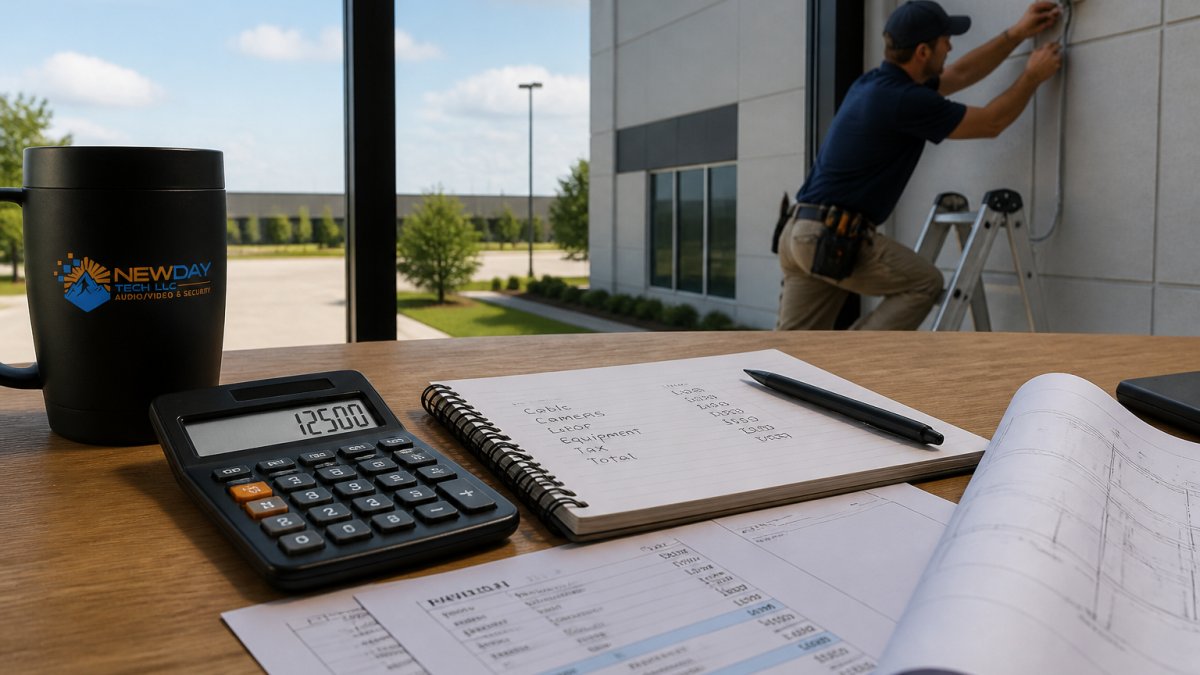
The most useful way to read a commercial quote is to separate it into four cost buckets: equipment, labor, cabling and infrastructure, and configuration and testing. Most bids bundle these into one number, which makes apples-to-apples comparison impossible. Ask for each bucket as its own line item.
Equipment. Camera price scales with resolution, low-light performance, and features such as varifocal lenses, onboard analytics, and vandal-resistant housings.
Labor. Commercial labor is quoted by the hour or by the device.
Cabling and infrastructure. This is the line most often hidden inside a bundled quote. It covers cable, conduit, connectors, mounting hardware, patch panels, and any trenching or lift rental.
Configuration and testing. Programming recording schedules, setting motion sensitivity, integrating with access control or alarms, connecting to a phone or web portal, and commissioning the system are real labor hours.
Commercial pricing by project scope
Because commercial work varies so widely, the clearest way to compare bids is by project type with stated assumptions.
Installation complexity varies by property layout. Ground-level installations on simple rectangular buildings take less time than multi-story facilities, rooftop mounting, or systems requiring cable runs through existing structures. Site-specific factors like brick versus drywall, presence of obstacles, and distance from the control room all affect labor time and total cost. For a fuller treatment of how these conditions change labor, see the site-specific factors discussion below.
Understanding Your Security System Installation Quote
A clear security system installation quote should itemize equipment, labor, configuration, and any integration work separately. This transparency helps you compare quotes from different providers and understand where your money goes. Most competitors stop at that advice, so here is what an itemized quote actually looks like and how to verify it before you sign.
What an itemized quote should show
A well-built quote separates costs into distinct lines rather than a single bundled figure. A representative structure looks like this:
- Equipment: each camera or sensor listed by model and resolution, plus the recorder (NVR) or cloud plan, PoE switch, and mounting hardware.
- Labor: installation hours or a per-device rate, stated separately from materials.
- Cabling and materials: cable, conduit, connectors, and any trenching or lift rental.
- Configuration and testing: programming, network setup, integration with access control or alarms, and commissioning.
- Permits and fees: any required permits, inspection fees, and applicable sales tax, shown as their own lines.
- Monitoring and service: the recurring monitoring or cloud-storage charge, stated separately from the one-time install.
Quote evaluation checklist
Before signing, confirm each of the following against the written scope:
- Camera placement and count. Does the quote specify where each camera goes and how many are included, not just a total?
- Image quality. Are resolution and low-light capability stated per camera, or left vague?
- Retention. How many days of recorded video are included, and is storage local, cloud, or both?
- Warranty. What is covered, for how long, and does it include labor or parts only?
- Service response. What is the promised response time for repairs, and is support included or billed?
- Exclusions. What is explicitly not included, after-hours work, drywall repair, trenching, permits, or taxes?
- Price validity. How long is the quote good for, and are the figures national estimates or a firm local price?
Comparing bids on equal footing
When comparing quotes, look for consistency in scope. If one quote is significantly lower than others, verify that it includes everything you need, all cameras, wiring, labor, configuration, and testing. Sometimes lower quotes represent incomplete scope rather than better pricing. Line up the itemized buckets side by side: a bid that omits cabling or configuration is not cheaper, it is incomplete.
Ask about warranty coverage, ongoing support, and how the provider handles system issues or expansions. A provider that clearly explains their process and stands behind their work often delivers better long-term value than the cheapest option.
The National Institute of Standards and Technology provides guidance on security system planning that helps property managers understand what professional installation should include.
Security System Monitoring Fees and Ongoing Costs
Professional monitoring fees represent the recurring cost of your security system after installation. Monthly monitoring differs based on the level of service; 24/7 professional monitoring with dispatch differs from basic motion alerts sent to your phone.
Professional monitoring means trained operators watch your system continuously and respond to alarms by contacting authorities or your designated contacts. This service costs monthly and usually includes cloud storage for recorded video, system maintenance, and customer support.
Some systems charge separately for video storage, either through cloud subscriptions or by purchasing local storage equipment. Others bundle storage into the monitoring fee. The amount of storage you need depends on camera count, resolution, and how long you want to retain footage.
The Cybersecurity and Infrastructure Security Agency recommends that business security systems include regular monitoring and maintenance to ensure reliability and protect against vulnerabilities.
When evaluating ongoing costs, factor in system upgrades, camera replacement, and support. A quality monitoring provider offers technical support when issues arise, handles system updates, and helps you add cameras or sensors as your needs grow. Compare NewDay Tech residential and business monitoring, video, support, access-control, and managed-service starting prices to see how transparent pricing aligns with your ongoing needs.
DIY vs. Professional Security System Installation: What You Need to Know
DIY security systems appeal because they eliminate professional installation labor costs. You purchase equipment and install it yourself, which works for straightforward residential setups with a few cameras and minimal wiring.
However, DIY approaches carry trade-offs. Installation mistakes, poor camera placement, inadequate lighting for night vision, improper cable runs, or weak wireless signals, reduce system effectiveness and create costly rework later. Professional installers assess your property, identify blind spots, recommend optimal camera placement, and ensure reliable coverage.
Professional installation includes system configuration and integration. Technicians program recording schedules, set motion detection sensitivity, integrate cameras with your phone or web portal, and test everything before handoff. DIY users often struggle with network setup, cloud storage configuration, and troubleshooting connectivity issues.
Commercial properties almost always require professional installation. Building codes, insurance requirements, and system complexity make DIY impractical. Businesses need systems that work reliably from day one, integrate with access control and alarm systems, and meet compliance standards.
The cost difference between DIY and professional installation depends on system size.
How Property Type and Size Affect Installation Costs
Residential properties have different installation requirements than commercial buildings or ranches, which affects pricing significantly.
Residential installations typically involve fewer cameras, often two to four, protecting entry points, driveways, and valuable areas. Wiring can run through walls or along exterior surfaces without major structural concerns.
Commercial properties require more extensive systems. Multiple buildings, parking areas, loading docks, and interior spaces often demand eight or more cameras. Commercial installations frequently integrate with alarm systems, access control, and intercom systems. Professional monitoring and extended video retention are standard expectations.
Ranches and rural properties present unique challenges. Large properties require cameras spread across acres, which means extensive cabling or strong wireless systems to maintain reliable connections. Barns, equipment storage, and perimeter fencing require weatherproof cameras and durable mounting.
Property size directly influences labor time. A small residential property might require a few hours of installation work. A commercial building with multiple zones could require significantly more.
Installation requirements and costs vary significantly based on property type and the areas that need monitoring.
| Property Type | Typical Camera Count | Key Installation Factors |
|---|---|---|
| Residential | Two to four | Fewer cameras, simple wiring, basic cloud storage |
| Commercial | Eight or more | Multiple buildings, integration with alarms and access control |
| Ranches and rural | Varies widely | Extensive cabling across acres, weatherproof equipment, local storage options |
Getting the Right Quote for Your Security Needs
Requesting quotes from multiple providers reveals market pricing and helps you identify the best fit for your property.
A quality quote process starts with a site survey. The installer visits your property, assesses coverage needs, identifies wiring challenges, and understands your security priorities. This on-site evaluation produces accurate estimates rather than phone-based guesses.
Understand integrated security system installation costs by reviewing detailed breakdowns that separate equipment, labor, and monitoring. Request a consultation with NewDay Tech to discuss your specific security needs and receive a transparent quote that itemizes each component.
When comparing quotes, look for consistency in scope. If one quote is significantly lower than others, verify that it includes everything you need, all cameras, wiring, labor, configuration, and testing. Sometimes lower quotes represent incomplete scope rather than better pricing.
Ask about warranty coverage, ongoing support, and how the provider handles system issues or expansions. A provider that clearly explains their process and stands behind their work often delivers better long-term value than the cheapest option.
Frequently Asked Questions
How much does professional security system installation typically cost?
Professional security system installation cost depends on system complexity, property size, and equipment choices. Residential systems range from basic setups to comprehensive multi-camera installations with monitoring. Commercial installations vary significantly based on coverage area, camera count, and integration requirements. Contact NewDay Tech for a detailed quote tailored to your property and security needs.
What's included in a security system installation quote?
A complete security system installation quote should itemize equipment costs, labor and installation fees, wiring and infrastructure work, system configuration and testing, and any integration with existing technology. Professional quotes also clarify warranty coverage, ongoing monitoring options, and support plans. When evaluating quotes, verify that scope assumptions are clearly stated so you can compare accurately across providers.
Are security system monitoring fees separate from installation costs?
Yes. Security system monitoring fees are ongoing monthly or annual charges separate from the upfront installation cost. These recurring fees cover professional monitoring services, cloud storage, system maintenance, and customer support. Understanding both your installation investment and long-term monitoring fees helps you calculate total cost of ownership and budget effectively for your security solution.
Is professional installation worth the cost compared to DIY?
Professional security system installation ensures proper camera placement for coverage, correct wiring and network configuration, system integration with your existing technology, and reliable performance from day one. DIY installations often result in poor camera angles, connectivity issues, and incomplete coverage. Professional installation saves time, prevents costly mistakes, and provides ongoing support, making it the better choice for most homeowners and businesses.
Professional security system installation pricing reflects your property's unique needs, the complexity of coverage required, and the level of ongoing monitoring you choose. Understanding what drives costs helps you evaluate quotes confidently and invest in a system that actually protects what matters to you.