 comparison
How to Choose Outdoor Wi-Fi Access Points for Farms
Last Updated: November 2, 2026
Quick Summary
The best outdoor wifi access points for a farm are weatherproof, dual-band units matched to how each building and zone is used, since farm coverage depends on terrain, trees, and metal buildings rather than the advertised range. Plan by zone, count the devices, and test real work areas before buying.
- Treat published range figures as best-case numbers measured in open space, not farm reality.
- Use 5 GHz for the core zone near the access point and 2.4 GHz for longer reach.
- Metal siding and roofing block signal most, so mount outside aimed at openings or go wired.
- Walk the property with a phone and a Wi-Fi analyzer app to find real dead zones.
- A site survey removes guesswork and shows whether a bridge, access point, or both fit.
Table of Contents
- Why Farms Need Different Wi-Fi Planning
- Best Outdoor Wi-Fi Access Points for Farm Coverage
- Wi-Fi for Barns and Metal Buildings
- Point-to-Point Wireless Bridge for Farm Buildings
- Outdoor Wi-Fi Access Point vs. Extender
- Long-Range Outdoor Wi-Fi Access Point Installation and Power
- Scheduling a Farm Wi-Fi Site Survey With NewDay Tech
- Frequently Asked Questions
Why Farms Need Different Wi-Fi Planning
Most Wi-Fi advice is written for a house with four walls and a single router. A farm is different. You may have a main house, a barn, a shop, a hay shed and a well house spread across dozens or hundreds of acres. Signal has to reach all of them, and trees, steel, and distance work against you the whole way.
Choosing the right outdoor Wi-Fi access points starts with understanding the property, not picking the box with the biggest number on it. A plan built around acreage, terrain, and building placement is a sound starting point.
Plan by acreage, not by advertised range
A common mistake is to divide the manufacturer's range claim into the property size and assume one access point covers it. That math fails on a farm for three reasons: range claims assume open space, they assume a client at the same height as the access point, and they ignore how many devices share the link.
A more useful starting point is to think in zones rather than acres:
- Core zone (roughly the first 100-150 feet from the access point): strong 5 GHz coverage for phones, tablets, shop computers, and camera recorders. This is where you want the highest throughput.
- Mid zone (roughly 150-300 feet): 2.4 GHz becomes the workhorse. Good for sensors, cameras, and equipment telemetry, but throughput drops and latency rises.
- Edge zone (beyond roughly 300 feet): coverage becomes unreliable and highly site-dependent. This is usually where a second access point, a directional bridge, or a wired link makes more sense than trying to stretch one radio.
A clear line of sight over flat ground behaves very differently from a tree line, a metal-sided shop, or a rise in elevation between the house and the barn.
Terrain, trees, and elevation change the plan
Trees are the most underrated obstacle on rural properties. Foliage, especially when wet, absorbs 2.4 GHz and 5 GHz energy, and a dense windbreak can cut usable range by more than a spec sheet suggests. Elevation matters too: a radio mounted high on a silo or pole can often see over obstacles that block a ground-level unit, but the client devices are still at ground level, so the downlink path is what actually determines whether a phone works in the barn aisle.
A practical approach is to sketch the property and mark:
- Where people and devices actually spend time (work areas, offices, shops, barn aisles, gates, and equipment parking).
- What sits between the main network location and those areas (tree lines, metal buildings, silos, hills, grain bins).
- Which buildings already have power and which have a path for Ethernet or conduit.
That sketch usually reveals that the property is not one coverage problem but several smaller ones, each with a different best solution.
Count devices, not just people
Farm networks carry more than phones. Security cameras, gate controllers, soil and weather sensors, equipment telematics, smart irrigation, and shop tools all compete for airtime. A single 2.4 GHz radio has limited capacity, and a cluster of always-on cameras can consume a meaningful share of it.
Before choosing hardware, list the devices that must stay connected and note which ones stream continuously (cameras, remote monitoring) versus which ones check in occasionally (sensors, telematics).
A single central router often cannot cover distant buildings. Adding an outdoor unit at the right spot can solve the problem, but only after the property has been mapped by zone, obstacle, and device load.
Best Outdoor Wi-Fi Access Points for Farm Coverage
Outdoor wifi access points are generally built to handle heat, cold, rain, dust and direct sun, so rugged construction matters as much as signal range.
When comparing options, look for weather ratings, a sealed housing, and the ability to be powered over Ethernet. The right choice depends on what you need the network to do, not the highest advertised range.
Range, Antenna Gain and Coverage Direction
Range claims are usually measured in open space with no obstacles. A barn full of machinery or a metal building will cut that number down.
Antenna type changes the coverage pattern. Omnidirectional antennas spread signal evenly in every direction, which works well for a central yard.
A practical approach is to map the property and note which buildings and paths need service. Then match antenna direction to those locations.
Weatherproofing and Dual-Band Performance
Look for a weatherproof rating and a housing built for outdoor temperature swings. Confirm the operating temperature range fits your local summers and winters.
Dual-band units broadcast on both 2.4 GHz and 5 GHz. The 2.4 GHz band reaches farther and passes through obstacles more easily. The 5 GHz band is faster but covers less distance. Many farm setups use 2.4 GHz for long-range coverage and 5 GHz for close-in devices.
Wi-Fi for Barns and Metal Buildings
Steel and metal roofing block radio signals more than most materials. A barn can turn a strong outdoor signal into a weak one as soon as a device moves inside. The fix depends on what the building is made of and what happens inside it.
How common farm building materials affect signal
Different materials attenuate 2.4 GHz and 5 GHz signals very differently. The table below is a practical ranking, not a set of exact figures, because construction details vary widely.
- Metal siding and metal roofing: the worst case. A steel-skinned pole barn behaves like a shield. Signals can leak through doors, windows, vents, and gaps, but coverage inside is patchy and drops sharply with distance from the opening.
- Concrete and masonry: significant loss, especially in thick or reinforced walls. Older poured-concrete buildings with rebar are harder than wood-frame construction.
- Insulated metal panels: similar to metal, sometimes worse because foil-faced insulation adds another reflective layer.
5 GHz suffers more from these materials than 2.4 GHz, but 2.4 GHz is also more crowded. In a metal barn, the practical answer is often to bring the network inside rather than try to push signal through the wall.
Placement strategies that actually work
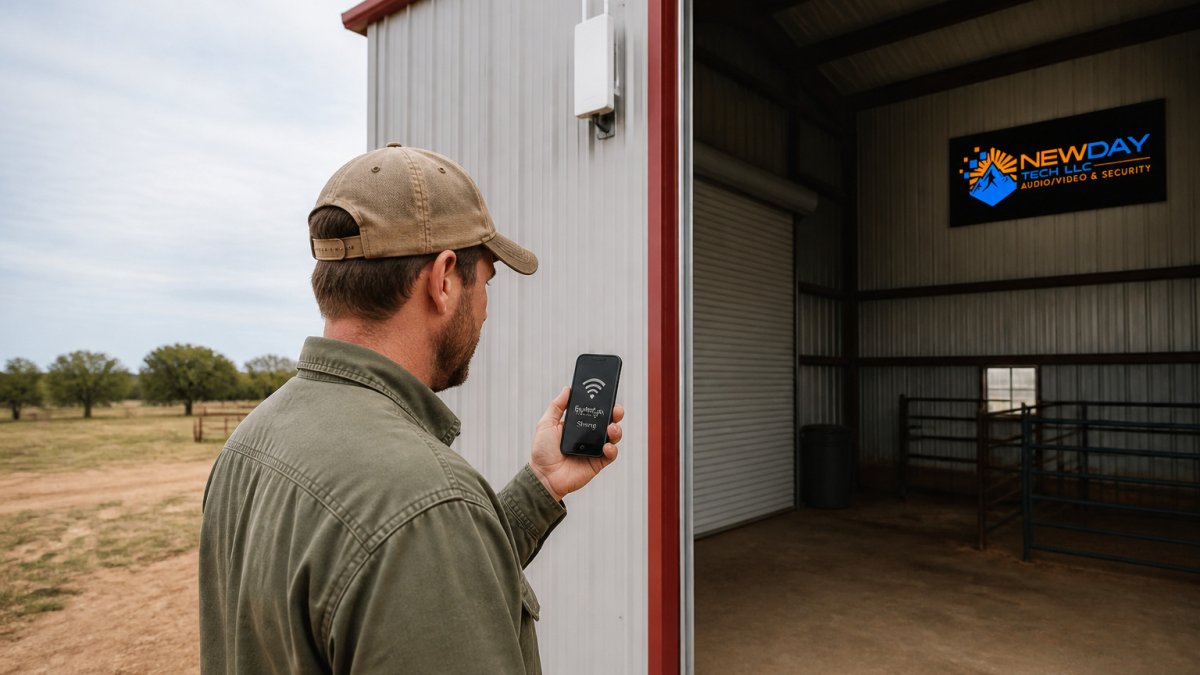
- Mount outside, aim at the opening. Place the access point on the exterior wall facing the largest door or a window without metal screen, and aim a directional antenna through it. This works best for small barns where devices cluster near the entrance.
- Mount inside on a non-metal surface. If the building has power and a network path, an indoor-rated access point mounted high on a wood post or truss can cover the interior far better than an exterior unit firing through steel.
- Use a wired link into the building. When the barn is far from the house and the walls are metal, run fiber or shielded Ethernet through conduit and put an access point inside. This is the most reliable pattern for shops, milking parlors, and equipment bays.
- Bridge to a remote building, then serve locally. A point-to-point wireless bridge can carry the network to a distant barn, where a local access point serves devices inside. This avoids trenching while still getting the radio inside the metal shell.
Test where people work, not where the signal looks good
Spec sheets and phone apps near the doorway can be misleading. To work through diagnostic steps and placement fixes, learn how to eliminate Wi-Fi dead zones.
If a dead zone appears behind equipment or in a far corner, the fix is usually one of three things: move the access point, add a second unit inside the building, or bring in a wired link. Adding a higher-gain antenna rarely solves an interior shadow caused by metal equipment.
A quick walk-through with a phone reveals dead spots that a spec sheet cannot, and it is the cheapest test you can run before buying hardware.
Different building materials block radio signals to different degrees, so the material of each building shapes where the access point should go.
| Building material | Signal impact | Practical approach |
|---|---|---|
| Metal siding and roofing | Worst case, strong blocking | Aim through doors or vents, or go wired |
| Concrete and masonry | Significant loss, especially reinforced | Harder than wood frame; plan for more units |
| Insulated metal panels | Similar to metal, sometimes worse | Treat like metal; foil facing adds reflection |
| Wood frame with siding | Moderate loss, workable | Outdoor unit nearby can cover the interior |
| Metal equipment inside | Reflections and shadow zones | Walk the aisles; move the unit if needed |
Point-to-Point Wireless Bridge for Farm Buildings
A standard access point serves many devices spread across an area. A point-to-point wireless bridge connects two specific locations, such as the house and a shop 600 feet away, with a dedicated link.
Bridges suit situations where the buildings need a fast, stable connection between them rather than general coverage for roaming devices.
The tradeoff is flexibility. A bridge links two points, while an access point serves a zone.
Outdoor Wi-Fi Access Point vs. Extender
An extender repeats an existing signal. For a broader comparison of node and backhaul options, see the best mesh Wi-Fi guide for rural properties.
An outdoor access point connects back to the network with its own dedicated link, usually over Ethernet or a bridge.
For most farms, the access point is the stronger option. An extender may work for a single nearby building, but it rarely scales across a full property.
Long-Range Outdoor Wi-Fi Access Point Installation and Power
Installation quality affects performance as much as hardware choice. Mount units high enough to clear obstacles, aim directional antennas carefully, and protect every cable connection from moisture and lightning.
Power over Ethernet (PoE) is often the cleanest approach. A single Ethernet cable carries both data and power, which removes the need for a separate outlet near the unit. Read how to improve Starlink signal on a large ranch when power and mounting are also affecting your connection.
Where PoE is not practical, plan a dedicated power source and a surge protector. Lightning is a real risk on open land, so grounding and surge protection are worth budgeting for.
Expect ongoing maintenance. Check mounts, seals and cable connections periodically, especially after storms.
Scheduling a Farm Wi-Fi Site Survey With NewDay Tech
The most reliable way to plan an outdoor network is a site survey. A site survey typically involves walking the property, testing signal in each building, identifying obstacles, and recommending access point locations, antenna types and mounting heights. Get the connection where the property needs it with professional Starlink, Wi-Fi design, and rural property networking.
A survey also shows whether a point-to-point bridge, an access point or a combination makes the most sense for your layout. It removes guesswork before any hardware is bought.
Pricing depends on property size, the number of buildings, and the equipment involved, so the best next step is to request a quote through the NewDay Tech website. You can also explore the full range of connectivity, security, and support services available for the property.
Frequently Asked Questions
What is the best outdoor Wi-Fi access point for a farm?
The best choice depends on acreage, building materials and where devices sit. Look for a weatherproof rating suited to outdoor mounting, dual-band radios, and enough antenna gain to reach the buildings you need. Plan coverage around the main house, barns and outbuildings first, then confirm range with a site survey. NewDay Tech can recommend models for your property. Contact them through their website for a consultation and current pricing.
Are outdoor access points better than Wi-Fi extenders?
For farms, outdoor access points usually work better than extenders. An access point connects to your internet source over a wired backhaul, which keeps speeds consistent and avoids halving bandwidth the way many extenders do. Extenders are simpler to add but rely on the existing signal to repeat. For distant or metal buildings, a wired access point or a wireless bridge typically gives more reliable results.
Do outdoor access points need a wired connection?
Most outdoor access points perform best with a wired Ethernet connection, often delivered by Power over Ethernet (PoE). Running a cable from the house or network closet to the mounting point provides steady bandwidth and power in one line. Where trenching or conduit is not practical, a wireless bridge can carry the link instead. Ask NewDay Tech about the cabling option that fits your layout.
How can I get Wi-Fi in a barn or metal building?
Metal walls and roofs block radio signals, so Wi-Fi rarely passes through them well. Mount an access point inside or on the building, or place one at the doorway with a directional antenna aimed inward. Running an Ethernet line is more dependable than relying on a signal from outside. Ask a qualified installer to assess your barn or shed and recommend placement.