 How-to
7 Wi-Fi Fixes That Kill Dead Zones Across Your Property
Last Updated: November 14, 2026
Quick Summary
To get better Wi-Fi coverage across your entire property without wi-fi dead zones, start by mapping your property with a free Wi-Fi analyzer app to find exactly where signal fails before buying any hardware. Then fix router placement first, and add mesh nodes, outdoor access points, or wired backhaul only where your map shows you need them.
- Walk the property with a phone and free Wi-Fi analyzer app, noting signal in each room and outbuilding.
- Put the router in a central, elevated, open spot, off the floor and away from metal and concrete.
- A mesh system shares one network name, while a range extender repeats signal at half the speed.
- Extend Wi-Fi outside with an outdoor-rated access point wired back and powered by PoE.
- Keep single Ethernet runs under roughly 300 feet, and use fiber for long building-to-building spans.
Table of Contents
- Find the Wi-Fi Dead Zones Before You Buy Anything
- How to Get Strong Wi-Fi Signal in Every Room
- Mesh Wi-Fi Systems vs. a Wireless Range Extender
- How to Extend Wi-Fi Range Outside
- How to Extend Wi-Fi Range to Another Building
- Wired Alternatives: Ethernet, Fiber, and MoCA
- What to Expect: Performance Trade-offs and Realistic Results
- Request a Coverage Consultation for Your Property
- Frequently Asked Questions
Find the Wi-Fi Dead Zones Before You Buy Anything
If you want better Wi-Fi coverage across your entire property without dead zones, start by measuring where the signal actually fails. At NewDay Tech, we design whole-property networks for homes and ranches, and most people buy hardware before they know what problem they are solving. That is how wi-fi dead zones end up costing you money twice.
A dead zone is any spot where your device drops below the signal strength it needs to stay connected reliably. The fix is not always a new router. Sometimes it is placement, cabling, or a single access point in the right spot.
Map Your Property and Measure Signal Strength
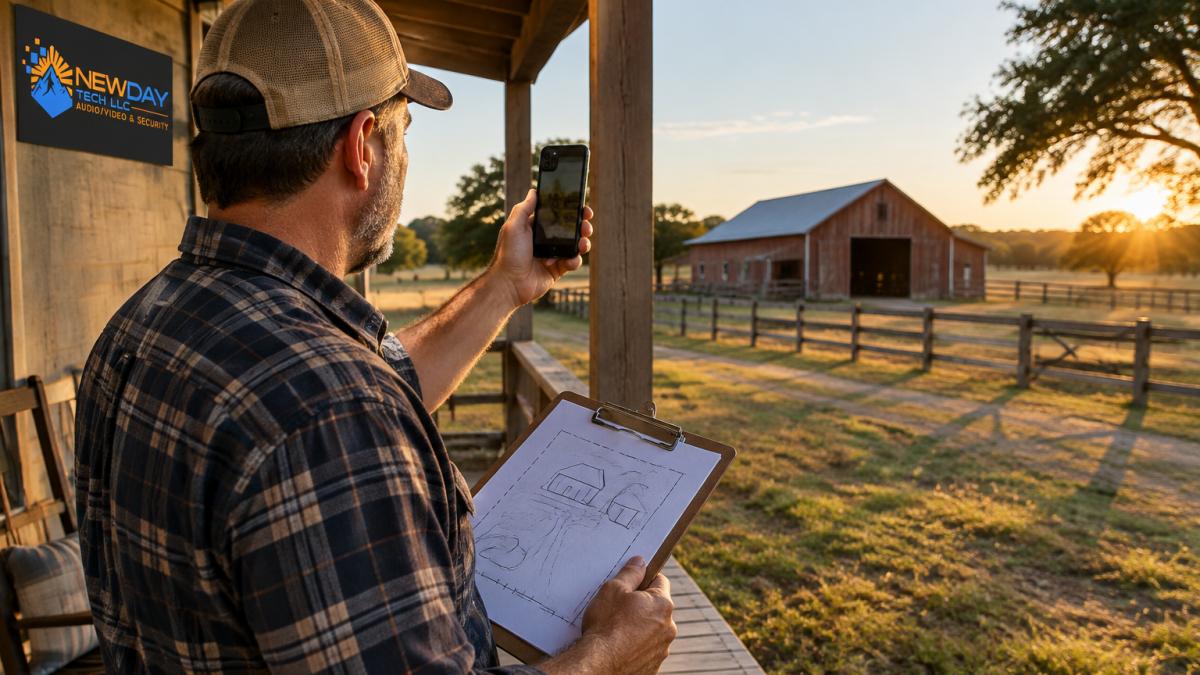
Walk the property with your phone and a free Wi-Fi analyzer app. Note the signal reading in each room, on the porch, and near every outbuilding.
- Mark strong spots, weak spots, and total dropouts on a simple sketch
- Test at different times of day, since interference changes
- Write down wall types and distances between buildings
That map becomes your buying guide. It shows whether you need one better-placed router or a full network.
How to Get Strong Wi-Fi Signal in Every Room
The fastest way to get strong Wi-Fi signal in every room is to fix router placement before adding any hardware. Most weak-signal complaints trace back to a router tucked in a closet, on the floor, or against an exterior wall.
Router Placement: Central, Elevated, Unobstructed
Put the router in a central, elevated, open spot. Signal spreads outward and down, so a shelf beats a cabinet.
- Keep it off the floor and away from metal, concrete, and fish tanks
- Avoid stacking it next to a microwave or cordless phone base
- Point antennas up for single-floor coverage, mixed for two-story houses
In a two-story house with thick walls, no single router reaches every corner. That is a layout problem, not a router problem. A common mistake is buying a bigger router to solve a placement issue. Move it first, then re-test your map.
Mesh Wi-Fi Systems vs. a Wireless Range Extender
A mesh Wi-Fi system uses several nodes that talk to each other and share one network name. A wireless range extender repeats an existing signal, often at half the speed. For whole-home Wi-Fi, mesh wins in most cases.
| Option | Best For | Weakness |
|---|---|---|
| Mesh system | Multi-room homes, two-story layouts | Higher upfront cost |
| Range extender | One weak room on a budget | Cuts throughput, needs separate login |
| Access point | Wired homes and outbuildings | Requires a cable run |
A range extender is fine for one stubborn room. It struggles when you need property-wide coverage.
If your property is large or rural, mesh design gets more involved. Our guide to the best mesh wifi for rural properties compares tri-band nodes, outdoor coverage, and backhaul options before you commit.
How to Extend Wi-Fi Range Outside
To extend Wi-Fi range outside, use an outdoor-rated access point wired back to your network. Indoor routers lose most of their reach once they push through exterior walls, and a repeater placed outdoors just amplifies a weak signal.
- Mount the access point high, facing the coverage area
- Use weatherproof, direct-burial Ethernet cable
- Power it with PoE so you run one cable, not two
Plan coverage like a lighting layout: overlap the edges so devices roam without dropping. For barns, sheds, and distant fields, compare range, weatherproofing, and PoE options in our guide on outdoor Wi-Fi access points for farms.
How to Extend Wi-Fi Range to Another Building
Extending Wi-Fi to another building comes down to one question: can you run a cable? A wired connection is always the most reliable path. When digging or trenching is impossible, a point-to-point wireless bridge is the next best choice, but only if you plan the link correctly.
Decide by Distance, Obstacles, and Power
Use the layout of your property to pick the method before you buy hardware:
- Same building, one weak room: a single access point or mesh node is enough.
- Detached garage or shop within about 100 feet with a clear path: a wireless bridge or a buried Ethernet run both work; cable wins on reliability.
- Barn, shop, or guest house 100-1,000 feet away: a point-to-point wireless bridge is usually the practical choice unless you can trench.
- Multiple outbuildings spread across acreage: plan a small distribution network, one bridge or cable run to a central outbuilding, then an access point or switch there to serve the rest.
Distance alone does not decide it. Trees, rooflines, and terrain matter as much as feet. A bridge rated for a mile still fails behind foliage.
Point-to-Point Wireless Bridges: How They Actually Work
A point-to-point wireless bridge uses two directional units, one aimed at the other, to carry the network signal between buildings. Unlike a repeater, it does not rebroadcast a weak indoor signal; it creates a dedicated link with a clear line of sight.
- Mount both units high and aimed at each other, above rooflines and tree lines
- Use directional antennas for longer spans and better interference rejection
- Power the remote unit with PoE so one cable carries both data and power
- Add an access point or mesh node inside the remote building so devices there connect locally
Watch out: mounting a bridge behind foliage, below the roofline, or with a partial obstruction is the most common reason a link underperforms, aim high and clear, and verify the aim before you finalize the mount.
Wired Backhaul: Ethernet and Fiber Between Buildings
If you can get a cable between buildings, do it. Wired backhaul removes the wireless bottleneck entirely and gives you the most stable, lowest-latency link.
- Direct-burial Ethernet: Cat6 with gel-filled, UV-rated jacket handles most residential runs; keep single runs under roughly 300 feet for standard Ethernet
- Fiber: the right choice for very long spans or where electrical grounding between buildings is a concern; media converters turn it back into Ethernet at each end
- Conduit: even direct-burial cable lasts longer and is easier to upgrade when run through conduit
For a full walkthrough of linking distant buildings on a large property, see our setup guide on how to extend Wi-Fi signal across a large ranch.
Wired Alternatives: Ethernet, Fiber, and MoCA
Wired connections beat wireless for speed, latency, and reliability. If you can get a cable to a problem area, do it. The question is which cable, and how much work each option really takes.
Ethernet: The Default Choice
Ethernet is the workhorse for most homes and the first option to consider for any problem area you can reach with a cable.
- Cat6 handles most indoor and outdoor runs and supports multi-gigabit speeds at typical residential distances
- Keep single runs under roughly 300 feet; beyond that, plan a switch or a different medium
- Use direct-burial, UV-rated cable outdoors, and run it through conduit where possible
- Terminate at a wall jack or keystone, then connect an access point or mesh node
Fiber: For Long Spans and Building-to-Building Links
Fiber shines when buildings sit far apart or when you want to avoid electrical grounding issues between structures.
- Fiber carries data over much longer distances than copper Ethernet without signal loss
- It is immune to electromagnetic interference and does not create a ground loop between buildings
- Media converters turn fiber back into Ethernet at each end, so your devices and access points still connect normally
- Installation is more specialized than copper; plan on a professional for termination and testing
For a detached shop or barn several hundred feet away, a single fiber run in conduit is often the most future-proof backbone you can install.
MoCA: Using Existing Coax
MoCA carries a network signal over existing coaxial cable, which helps when coax is already in the walls and pulling new cable is impractical.
- It works best when the coax runs are already in place and connected to the same splitter network
- Throughput is lower than a direct Ethernet run but far better than a weak wireless link
- You need MoCA adapters at each end, and coax that is in good condition
- It does not help if the rooms you need to reach have no coax
MoCA is a practical retrofit option for a finished house with coax in the walls, but it is not a substitute for Ethernet when a clean cable run is possible.
Choosing Between Them
Match the cable to the job:
- Short indoor run to one room: Ethernet
- Long run between buildings: fiber, or direct-burial Ethernet if the distance is modest
- Finished walls with existing coax: MoCA
- No path at all: a wireless bridge or mesh node, accepting the trade-offs
What to Expect: Performance Trade-offs and Realistic Results
- Wireless backhaul loses throughput with distance and obstacles
- Wi-Fi 6E and Wi-Fi 7 help in crowded areas, not through concrete
- Outdoor coverage depends on line of sight and mounting height
- Your internet plan caps the speed no matter how good the Wi-Fi is
That distinction matters. If a spot needs full speed, it needs a cable. If it needs a stable connection, a well-placed node or access point does the job.
If you want to understand the diagnostic side in depth, our step-by-step guide on how to eliminate Wi-Fi dead zones walks through the full process.
Request a Coverage Consultation for Your Property
Every property has its own obstacles: acreage, outbuildings, trees, and thick walls. NewDay Tech manages the whole project, from planning to ongoing support, with one team managing it start to finish.
NewDay Tech specializes in rural and remote connectivity, including Starlink installation, whole-property Wi-Fi, and integrated security. The company offers ongoing support plans for long-term system maintenance.
A property-wide network should not be a guessing game. You can request a coverage consultation to begin.
Frequently Asked Questions
Will a mesh Wi-Fi system eliminate dead zones?
A mesh system removes most dead zones in a single building when nodes are placed correctly, but it is not a cure-all. Each node needs a strong connection back to the main router, either wirelessly or through Ethernet. In a large home with thick walls, placing three nodes well beats placing six badly. For detached buildings or outdoor areas, mesh alone often falls short and you need an outdoor access point or a point-to-point bridge.
What is the difference between a Wi-Fi extender and a mesh system?
A wireless range extender rebroadcasts an existing signal, which is cheap and quick but typically halves throughput and creates a separate network name. A mesh system uses multiple nodes that share one network name and hand devices off smoothly as you move. Extenders suit one stubborn room; mesh suits whole-home Wi-Fi coverage. If you need coverage across a large property with multiple structures, neither replaces a wired backhaul or a bridge.
How can I extend Wi-Fi to another building on my property?
Distance and obstructions decide the method. Under about 100 feet with clear line of sight, a directional outdoor access point or a point-to-point wireless bridge works well. Beyond that, or through trees and metal siding, a buried Ethernet or fiber run is more reliable. MoCA adapters can reuse existing coaxial cable if the buildings already share it. Measure the path first, then choose the method that matches the distance.
Do I need professional installation for whole-property Wi-Fi?
You can install a mesh system yourself in an afternoon. Outdoor access points, point-to-point bridges, and buried cable runs are different: they involve mounting at height, weatherproofing, grounding, and aiming antennas for signal strength. A site survey also shows where dead zones actually are before you spend money on hardware.